←All games
Poker Squares
Place 25 cards one at a time on a 5×5 grid and build poker hands in all 10 rows and columns. No take-backs!
Click an empty cell to place the card. Make poker hands in all 10 lines
CardsStrategyRelaxing
About this game
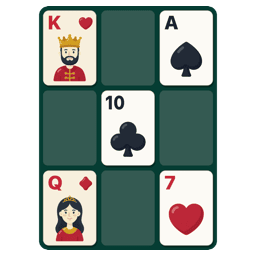
Poker Squares is a classic card solitaire. Cards come one at a time from a shuffled deck and you place each on a 5×5 grid, so that every row and every column becomes a poker hand. Once a card is placed it stays, so the trick is choosing spots while guessing what comes next.
How to play
- The card to place is shown at the bottom. Put it on any empty cell and the next card comes up.
- Hover over an empty cell to preview, click to place. With the keyboard, arrow keys pick a cell and Enter or Space places the card.
- The game ends after 25 cards. Your score is the sum of all 10 hands: 5 rows plus 5 columns.
- Points: pair 2 · two pair 5 · three of a kind 10 · straight 15 · flush 20 · full house 25 · four of a kind 50 · straight flush 75 · royal flush 100
- Aces count high (10-J-Q-K-A) or low (A-2-3-4-5) for straights. Diagonals do not count.
- The box at the end of each line shows its current hand. While a cell is selected, its row and column show the new hand in light blue.
- Placed cards can never be moved or taken back.
Tips
- Collect one suit down a column for a flush and matching ranks across rows for pairs and full houses, so each card scores both ways.
- Flushes and straights only score once all five cards are in. Keeping one line as a dump line makes awkward cards easier to place.
- A full house (25) beats a flush (20) and four of a kind is worth 50. When a rank shows up twice, keep those cards in the same line.
- Only 25 of the 52 cards are used. Remembering what has come out helps you guess what is left.
 HTML6 GamesFree Web Games