←All games
Yut Nori
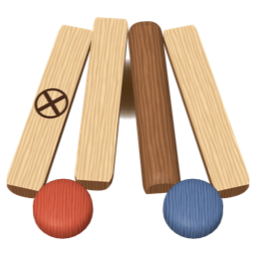
Toss four yut sticks for Do, Gae, Geol, Yut or Mo, and race four pieces around the board before the computer. A classic Korean game.
Toss, then click a glowing piece · Yut, Mo and captures toss again · Get 4 home first
vs ComputerStrategyClassicTraditional
About this game
Yut Nori is a traditional Korean game that families play together, especially around the Lunar New Year. Instead of dice you toss four half-round wooden sticks (yut) and move by how many land flat side up; the first side to bring all four pieces around the board and home wins. The names Do, Gae, Geol, Yut and Mo are often said to stand for a pig, dog, sheep, cow and horse. It mixes the luck of the toss with real choices about which piece to move and where. This version plays the most widely used rules against the computer.
How to play
- Tap the mat to toss. One stick flat side up is Do (1 step), two is Gae (2), three is Geol (3), four is Yut (4) and none is Mo (5). Gae and Geol come up most often.
- If only the stick marked with an X lands flat side up, it's Back-do: move one step back. With no piece on the board, a Back-do is lost.
- Pieces start from the red spot at the bottom right and go around counterclockwise. Stop exactly on a corner or the center and your next move cuts across a diagonal shortcut.
- Yut and Mo toss again. Results stack up below the mat; pick a result chip and use them one at a time on any piece.
- Land on your own piece to stack them and move together. Land on a computer piece to capture it, send it back to wait, and toss again.
- A piece goes home after it passes the red starting spot (landing on it exactly leaves it there for the next move). Get all four home first to win! A win scores 1000 plus 10 per step the computer's pieces still have to go.
- Pieces that can move glow. Tap one to move it (hover or use ↑↓ to preview where it lands, ←→ to switch results, then Enter or Space). If only one move is possible it plays itself. Who tosses first alternates every game.
- A short tutorial shows the rules the first time. Replay it with the Tutorial button before your first toss.
Tips
- Corners lead to shortcuts. The top-right corner is exactly a Mo away from the start, so it's worth aiming for.
- Stacked pieces travel fast, but a capture sends them all back at once. Be careful when a computer piece is one to three steps behind.
- When several results stack up, try using them in a different order. The same results can capture, stack or reach a shortcut depending on the order.
 HTML6 GamesFree Web Games