
Picking a 3D library and fitting it into a site with no build step
Most games on this site are 2D games drawn directly onto a browser <canvas>. Once I planned to add 3D games, I first looked into which engine or library to use. The starting question was simple: what web game engines are out there, and could this site use any of them?
These were the candidates. Phaser is an all-in-one 2D engine with physics, tilemaps and sound. PixiJS is a 2D library that only handles drawing. KAPLAY, LittleJS and Excalibur are lightweight 2D engines. For 3D there are Three.js and Babylon.js. Three.js only draws, so physics has to be added separately, while Babylon.js ships physics, collisions and scene management in one package. Editor-based engines such as Godot and Unity export to the web. Godot's export is tens of megabytes (wasm) and adds a separate authoring and build step, which doesn't fit a site where the source files are the site. I used Unity years ago and found it too heavy, and its web export wasn't complete. It may have improved since, but going by that memory I ruled it out for now.
I looked into physics engines too. Phaser lets you choose between the lightweight Arcade Physics, the bundled Matter.js, and Box2D as a separate download. Phaser is also 2D only, with no 3D scenes, cameras or lights. Since 3D was the plan, choosing Phaser would have meant adding something like Three.js on top anyway.
What I most wanted to know was size. With 3D in mind, I downloaded only the latest Phaser and Three.js files and measured them myself (Phaser 4.2.1, Three.js r186).
- Phaser: 1,343KB uncompressed, 344KB gzip (Arcade and Matter physics included, one file)
- Three.js: 789KB uncompressed, 188KB gzip (two files that go together), plus 25KB for the model loader (GLTFLoader)
- 3D physics: cannon-es is light at 72KB gzip, while the Rapier 3D build that embeds its wasm as text is large at 1,614KB
The yardstick was this site. A game's code averages about 12KB today, about 550KB across all 44 games. Games with generated art keep their art under 300KB in total. Phaser alone would be more than half of the code of all 44 games. Three.js is smaller than the 300KB art budget. And once downloaded it stays in the browser cache, so every game after the first that uses it gets it almost for free.
But the question I spent the longest on wasn't size. I had run into a lot of browser problems so far. Would an engine make them go away? Was the canvas-based toolkit I already had good enough? I went through the problems I had hit, one by one.
The screen-related problems would have been the same with any engine. The board overflowing the screen, the top bar wrapping onto two lines, text selection and long-press menus on iPhone, the result card getting cut off: all of them were outside the area an engine draws, in the site's own layout. Hit detection that didn't match the art, or puzzles that couldn't be solved, were game design problems. Animation frames stopping in a hidden window happens with Phaser just the same.
An engine would also have brought new problems. Each engine has its own loop, its own pause on tab switch, its own screen sizing and its own key handling, and those would fight with the site's pause and layout over who is in charge. The daily challenge, where everyone gets the same board, would need the engine's random numbers to match the site's seed. So I kept my canvas toolkit for 2D and decided to use Three.js only for 3D. Because Three.js only draws, it doesn't clash with the site's loop or pause. The 2D canvas performance on iPad that had worried me turned out to have a cause I could fix, as I wrote in an earlier post.
I decided to build a simple 3D game with Three.js first, and that first game is Tower Crane.
Installing it
The official three.js installation guide recommends installing from npm and using a build tool for most users. Without a build tool you have to put an import map in your HTML that tells the browser the CDN addresses, and the guide itself warns that if the CDN goes down your site goes down too, and that mixing files from different sources can break your app. This site has no build step, its security policy (CSP) blocks inline scripts so an import map is out, and I didn't want to depend on an outside CDN.
So I decided to keep the library files in the repository itself. Getting them in is a single script.
node tools/vendor-three.mjs 0.186.1The script downloads and unpacks the given version of the npm package, minifies three.module.js and three.core.js with esbuild, and puts them in games/lib/vendor/three/. The two files must sit in the same folder, because three.module.js imports ./three.core.js. The license comments and the LICENSE file go along with them. Minified, the two files come to about 750KB, about 195KB over the wire with gzip, and they are only downloaded when a 3D game opens.
The addons that load model files (glb), such as GLTFLoader, live in the package's examples/jsm folder, and they import the library by the name 'three'. Without an import map the browser has no idea where that name points. So when the script copies an addon, it rewrites that part into a relative path to three.module.js.
// the browser can't resolve the bare 'three' specifier without an import map,
// so point each addon at the local copy with a relative path
code.replace(/from 'three';/g, `from '${'../'.repeat(depth)}three.module.js';`);
If the script can't find that line in an addon, it stops and asks you to check whether three.js changed its structure. That keeps the rewrite from silently going wrong when I upgrade.
This import was the biggest snag in the whole install. Importing by a bare name with no path, like from 'three', is called a bare import. npm and build tools find that name in the node_modules folder, but a browser has no such folder. A browser only understands addresses that start with /, ./ or ../, or full URLs, and when it sees just a name it throws an error saying it doesn't know where to load it from. The three.js core files import each other with relative paths like ./three.core.js, so they are fine, but the model addons import the core by name and hit this error.
There were three ways out. The import map from the official guide pairs names with addresses in a <script type="importmap"> in the HTML, but that is an inline script and collides with the security policy this site enforces. Bundling with a build tool resolves the names for you, but it means adding a build step to the site. The last option was to rewrite that one line when copying the addon files. It needs neither a build step nor a change to the security policy. In exchange I have to make sure the rewrite still matches every time I upgrade three.js, which is why the script stops when it can't find it.
Games don't import the library directly. Game files are plain scripts, so they can't, and instead a game just names the libraries it needs when it registers. When the game opens, the site fetches the library with import() and hands it to the game code as api.lib.three.
libs: ['three'],   // the portal import()s the library before mount
mount(stage, api) {
  const T = api.lib.three;
  const renderer = new T.WebGLRenderer({ canvas });
  // ...
}
The next post covers putting the library to work in a real game: hooking the renderer into the game loop, cleaning up when the game closes, and what happened when loading model files.
References
- three.js, Installation: https://threejs.org/manual/pages/installation.html
- MDN, import maps: https://developer.mozilla.org/en-US/docs/Web/HTML/Reference/Elements/script/type/importmap
- MDN, WebGL API: https://developer.mozilla.org/en-US/docs/Web/API/WebGL_API
Games from this post
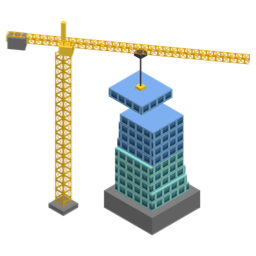 Tower CraneDrop each swinging floor from the tower crane right on top of the last. Overhangs get sliced off. How high can you build?
Play
Tower CraneDrop each swinging floor from the tower crane right on top of the last. Overhangs get sliced off. How high can you build?
Play
More posts
- Switching a mode button made the whole board wobble Oct 26, 2026
- Minesweeper boards you can finish without guessing Oct 26, 2026
- The wrongly placed flags vanished for 0.7 seconds Oct 26, 2026
- I deployed, and the old page kept showing for an hour Oct 25, 2026
- Why there is always a cloud within reach in Cloud Hop Oct 25, 2026