
The 3D model's textures came out white
Tower Crane built its boxes in code, so it had no image files. The second 3D game, Rush 3D, was the first to use model files. I picked 15 character and prop models from the Platformer Kit that Kenney released under CC0. They are glb files, the binary form of glTF, the standard format for 3D models.
Fetching 15 models separately means 15 requests. So I packed the models in use into one glb file (pack.glb, 208KB) and made them share a single material and texture. A game lists this file in its registration, and the site downloads it on the shared loading screen, just like image files. Once three.js arrives, it's read with GLTFLoader and then the game starts. Game code takes a copy of a model by name. A plain copy of a rigged character doesn't bring its skeleton along, so it's cloned with a three.js helper (SkeletonUtils).
assets: { base: '/games/rush3d/', models: { pack: 'models/pack.glb' } },
mount(stage, api) {
  const hero = api.model('pack', 'character-oopi');   // a clone of that node (skeleton included)
  const anim = k.anim(hero, api.clips('pack', 'character-oopi')).play('idle');
}
The textures came out white
On the first load the models had the right shape, but no textures: they were plain white. The console showed an error about violating connect-src in the security policy (CSP).
A glb file carries its texture images inside it. GLTFLoader takes those images out and turns them into temporary addresses in browser memory, URLs that start with blob:. It then reads those URLs again with fetch to upload them as textures. The site's security policy lists the addresses JavaScript may connect to (connect-src) and the addresses images may load from (img-src), and blob: wasn't in either. So the requests reading the textures were blocked, and the models were drawn white without their pictures.
I added blob: to both. But even with the header fixed, the local page looked the same. The Firebase emulator I use locally reads its config file at startup, so a header change only takes effect after restarting the emulator. If you don't know that, the fix looks like it isn't working.
Repacked models stayed in the cache
I also found that after fixing a model and repacking pack.glb, browsers could keep using the old file. At the time, the cache header rules covered only JS, CSS and HTML, and glb was left out. Files that match no rule get Firebase's default cache of one hour, so a repacked model could show up to an hour late. So I put glb under the same cache rule as the other code files. How cache headers are matched against the requested address is covered in another post.
References
- Khronos, glTF: https://www.khronos.org/gltf/
- three.js, GLTFLoader: https://threejs.org/docs/pages/GLTFLoader.html
- MDN, URL.createObjectURL: https://developer.mozilla.org/en-US/docs/Web/API/URL/createObjectURL_static
- MDN, CSP connect-src: https://developer.mozilla.org/en-US/docs/Web/HTTP/Reference/Headers/Content-Security-Policy/connect-src
- Kenney, Platformer Kit: https://kenney.nl/assets/platformer-kit
Games from this post
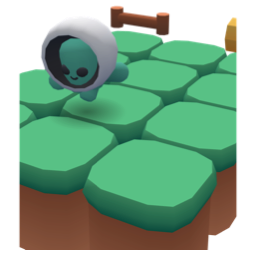 Rush 3DDash along a three-lane block road linking floating sky islands. Switch lanes, jump and duck past obstacles and broken track. How far can you run?
Play
Rush 3DDash along a three-lane block road linking floating sky islands. Switch lanes, jump and duck past obstacles and broken track. How far can you run?
Play
More posts
- A jelly character that moves with five shapes instead of bones Nov 1, 2026
- Rolling a 3D die without a library and stopping on the face you want Nov 1, 2026
- The board flashed on iPhone every time a card moved Nov 1, 2026
- Fitting three.js into a 2D game kit Oct 30, 2026
- Switching a mode button made the whole board wobble Oct 26, 2026