
Fitting three.js into a 2D game kit
In the previous post I wrote about choosing three.js and adding it to the site. This time I cover what happened when I attached that library to real games. The first 3D game was Tower Crane, where you stack box floors, followed by Rush 3D, which uses model files.
Games on this site are built with a shared toolkit (GameKit). Creating the canvas and fitting it to the screen, the game loop, pausing and the score display are handled by the toolkit instead of being rewritten for each game. The goal was to make three.js run inside the same frame. That was exactly why I picked a library instead of an engine.
The first snag was the canvas. You get a 2D drawing context from a canvas with getContext('2d'), or a WebGL one with getContext('webgl2'). But once a canvas has handed out a 2D context, you can't use WebGL on that same canvas. The toolkit grabbed a 2D context as soon as it created the canvas. So I added an option to say the canvas is for WebGL. In that case the toolkit skips the 2D context and lets the three.js renderer use the canvas.
const { cv, px, view } = k.canvas({ w: 360, h: 600, bleed: true, gl: true }); // no 2D context
const renderer = k.gl(new THREE.WebGLRenderer({ canvas: cv, antialias: true }));
renderer.setPixelRatio(px);
view.onResize = () => {
  renderer.setSize(view.w, view.h, false);
  camera.aspect = view.w / view.h;
  camera.updateProjectionMatrix();
};
The game loop barely needed changes. three.js only draws, so calling renderer.render(scene, camera) once in the shared loop's draw step is enough. Pause, game time, the score at the top and the result screen all work the same as in 2D games. Where everyone has to get the same board, as in the daily challenge, the game doesn't use the random function bundled with three.js but the seeded random the site provides.
Boards disappeared after repeated restarts
In Safari on iPad and iPhone, pressing restart several times made earlier boards lose their picture. Safari allows only a small number of WebGL contexts open at once on one page. Each new round created a new canvas and a new context without releasing the old one. When the limit was reached, the browser started dropping the oldest contexts, and that round's picture vanished.
So now the toolkit releases the WebGL context itself on restart and when the game closes. Once the renderer is registered with k.gl(renderer), the toolkit also calls dispose() on it at close. three.js uploads geometries, materials and textures to graphics memory, and JavaScript garbage collection doesn't clean those up on its own. Geometries or materials thrown away mid-round are disposed by the game itself. Since that's easy to miss, I added a way to check. With ?debug=fps on, the second line shows how many geometries and textures are in graphics memory. If that number only grows from round to round, a dispose is missing somewhere.
Phones slow down on draw calls before triangles
How heavy a 3D scene is usually gets described in triangles. On phones, though, draw calls become a problem before triangles do. A draw call is one instruction to the graphics chip saying "draw this". Different materials or geometries need separate calls, so lots of small objects mean many draw calls even with few triangles. So I added the draw call count next to the triangle count on the second line of ?debug=fps.
Looking at the numbers in Tower Crane, the final scene with 60 floors took 506 draw calls. The box making up each floor was split into 6 face groups, so each floor was drawn several times. Merging those into 2 groups, sides and top/bottom, brought the same scene down to 186. Flat-colored parts share one material through a common palette texture that packs many colors into one small image. Shapes that repeat many times, like the coins and road blocks in Rush 3D, are drawn in one go with a single InstancedMesh.
After these changes I measured on real devices. Tower Crane's 60-floor final scene ran at 120fps on a real iPad (canvas 2048×2468, 184 draw calls) and 60fps on a real iPhone (canvas 640×1106, 195 draw calls). Remembering the iPad running at 11fps with Canvas 2D earlier, those were reassuring numbers.
The next post covers loading model files: textures that came out white, and repacked model files that stayed in the cache.
References
- MDN, HTMLCanvasElement.getContext: https://developer.mozilla.org/en-US/docs/Web/API/HTMLCanvasElement/getContext
- three.js, Cleanup: https://threejs.org/manual/pages/cleanup.html
- MDN, WebGL best practices: https://developer.mozilla.org/en-US/docs/Web/API/WebGL_API/WebGL_best_practices
- three.js, InstancedMesh: https://threejs.org/docs/pages/InstancedMesh.html
Games from this post
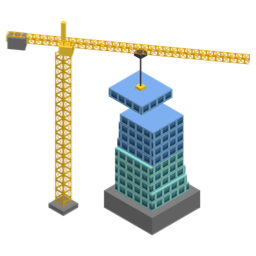 Tower CraneDrop each swinging floor from the tower crane right on top of the last. Overhangs get sliced off. How high can you build?
Play
Tower CraneDrop each swinging floor from the tower crane right on top of the last. Overhangs get sliced off. How high can you build?
Play
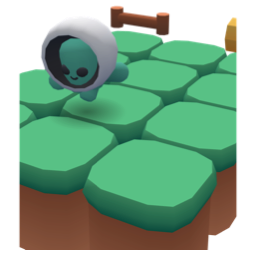 Rush 3DDash along a three-lane block road linking floating sky islands. Switch lanes, jump and duck past obstacles and broken track. How far can you run?
Play
Rush 3DDash along a three-lane block road linking floating sky islands. Switch lanes, jump and duck past obstacles and broken track. How far can you run?
Play
More posts
- A jelly character that moves with five shapes instead of bones Nov 1, 2026
- Rolling a 3D die without a library and stopping on the face you want Nov 1, 2026
- The board flashed on iPhone every time a card moved Nov 1, 2026
- The 3D model's textures came out white Oct 30, 2026
- Switching a mode button made the whole board wobble Oct 26, 2026